
The house rules for adding one more app to a crowded VPS
One folder, one compose file, a .env.example, a setup.sh that writes the secrets, and nothing in git that the server owns. The conventions I add apps by, and where each one came from.
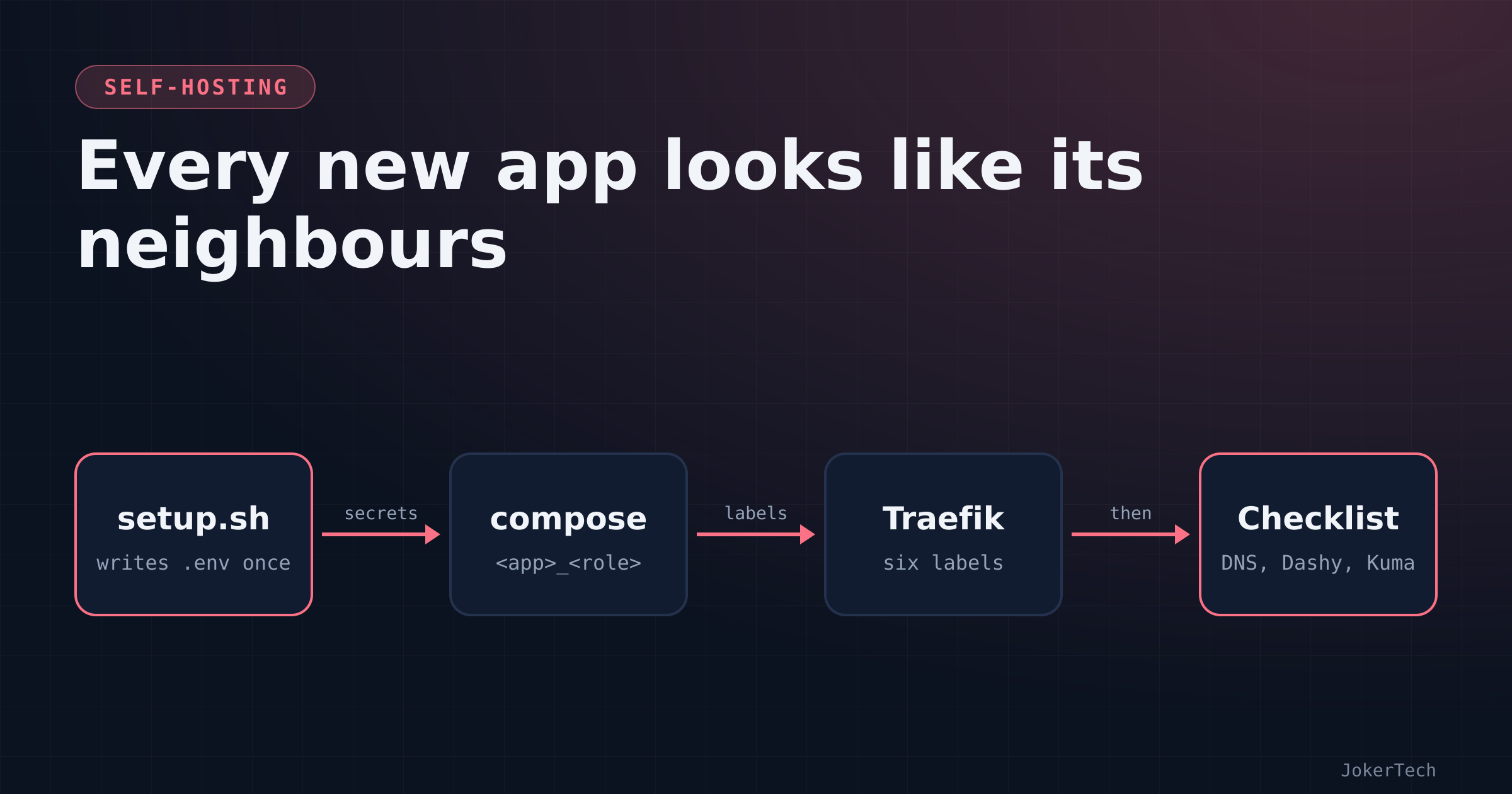
As of mid-October 2026 my selfhosted-apps repo tracks 24 compose files. One person maintains them, on one VPS, behind one Traefik. That only works if every one of them looks like its neighbours, because in three months I will not remember why NocoBase is different from Memos. Ideally it isn't different.
None of these rules were designed up front. They piled up one mistake at a time over about ten days, mostly while I was building the stack with an AI coding assistant working in my laptop repo, and most of them exist because something broke. The latest two apps, Paperless-ngx and Umami, went in on 16 October in a single commit that follows every rule below. The first nine, on 7 October, followed almost none of them. This is the list as it stands, with where each rule came from, what it costs me, and the parts I'd still change.
Where the template came from
The first request was blunt. I had Traefik and Nextcloud running already, each in its own repo, and I asked for nine more apps "the same way as the ones already present, behind traefik using docker-compose". Firefly III, RomM, Gogs, Memos, Dashy, SiYuan, NocoBase, ServerKit and BentoPDF.
The assistant's first move was the right one. It didn't write anything until it had read the Traefik compose file, the Traefik static config and the Nextcloud stack. The conventions came from there, so it's worth saying what they were. Traefik's Docker provider doesn't touch the Docker socket directly; it talks to a socket proxy over TCP. exposedByDefault is false, so a container is invisible to Traefik until it opts in. Every routed container joins an external network called frontend, which Traefik also sits on. There's one entrypoint that matters, websecure on 443. Cloudflare sits in front of every hostname, proxied, and terminates the real TLS, so Traefik serves its built-in default certificate and nobody minds.
So every app's compose file has the same skeleton. Here is Memos, which is about as small as they get, with the annotations I'd want a stranger to read:
# Runs as uid 5000. Before first start: mkdir -p data && sudo chown 5000:5000 data
services:
  memos:
    image: ghcr.io/usememos/memos:stable
    container_name: memos_app          # <app>_<role>, always
    restart: unless-stopped            # survives reboots, stays down if I stop it
    user: "5000:5000"                  # same uid as Traefik and friends
    networks: [frontend]               # the only network a single-container web app needs
    volumes:
      - ./data:/var/opt/memos          # relative bind mount: data lives next to the compose file
    labels:
      - traefik.enable=true                                                    # opt in
      - traefik.http.routers.memos.rule=Host(`${MEMOS_HOST:-memos.example.com}`)
      - traefik.http.routers.memos.entrypoints=websecure
      - traefik.http.routers.memos.middlewares=default-security-headers@file,remove_identity@file
      - traefik.http.services.memos.loadbalancer.server.port=5230              # the port inside the container
      - traefik.docker.network=frontend                                        # which IP Traefik should use

networks:
  frontend:
    external: true                     # created by the Traefik stack, never by an app
Six labels, always in the same order, and each earns its place.
traefik.enable=true because nothing is exposed by default. I like this default a lot. A database container that forgot to say anything stays private, and that's the failure mode you want.
The Host() rule is explicit and reads its hostname from .env with a default. Traefik's static config also has a defaultRule that would build a hostname from the container name, but I never rely on it. Explicit rules mean I can grep the repo for a hostname and find the one file that serves it.
The entrypoint is always websecure. There's an HTTP entrypoint that only redirects.
The middlewares line is explicit too, and it used to be different. More on that below.
The service port is the port the app listens on inside the container. Nothing in this repo publishes a port on the host with ports:. Traefik's own stack owns 80 and 443, and everything else is reached through it.
And traefik.docker.network=frontend tells Traefik which of the container's networks to use. A single-network container doesn't need it. The moment a container joins a second network (its private database network, say), Traefik may pick the address on the wrong one and you get a 502 that makes no sense from the outside. I put it on every container so I never have to remember when it's needed.
The comment on line one is part of the template. If an app needs something done on the host before the first up, it goes in line one of the compose file, not in a README I won't open.
The folder around it is always the same shape: docker-compose.yml, .env.example, sometimes a setup.sh, sometimes a README.md when there's a genuine procedure (Kavita's Google Drive service account, Uptime Kuma's monitor list, the ChatOps setup). Eleven folders have a README. The rest don't need one, and I'd rather have no README than a stale one.
Container names are <app>_<role>
The first batch came back with containers called things like firefly and romm. My first follow-up, before anything was even committed, was "use prefix for the containers so that they all have unique names". Now everything is <app>_<role>: romm_app, romm_db, nocobase_app, nocobase_db, memos_app, dashy_app, paperless_broker.
Container names are a global namespace on the host. Two stacks that both want a container called db can't both have it, and even when they don't collide, docker logs db tells you nothing. With prefixes, docker ps reads like an inventory, sorted by app. Dozzle's container list makes sense. Uptime Kuma talks to ntfy at http://ntfy_app:80 over the internal network instead of going out through Cloudflare and back. The phone bot I built later addresses apps by folder name and containers by these names, and the update script tags rollback images as rollback/<app>-<service>:prev, which only reads well because the names are consistent.
Renaming was free. Every router sets its own Host() rule, so changing container names didn't move a single URL.
What the prefix did not do is fix DNS. The service key in the compose file was still db, and on a shared network that name still resolved to more than one database. That cost me a morning the next day and has its own post. The rule that came out of it is now part of the template: a database lives on a network private to its stack, and the app reaches it by its full container name (DB_HOST=romm_db), never by db. Paperless's compose file carries the reason in a comment, so nobody "simplifies" it later:
networks:
  frontend:
    external: true
  # Private to this stack (not the shared `backend`, to avoid Docker DNS clashes between stacks that all have a `db`).
  internal: {}
I'll admit the newer stacks have drifted slightly here. RomM, NocoBase and AFFiNE declare their private network with internal: true, which also cuts it off from the internet. Paperless, Umami and Karakeep use internal: {}, which is private to the project but still has a route out. Both fix the DNS problem. Only one also stops a compromised database container from phoning home. I hadn't noticed the inconsistency until I lined the files up for this post, which is exactly why lining them up is worth doing.
Hostnames in .env, secrets behind :?
Every hostname is a variable with a default: ${DASHY_HOST:-dashy.example.com}. In practice I never override the default. The variable exists so the file can be reused, and the default exists so a stack with no .env still routes somewhere sensible.
Secrets are different. They have no default and they use compose's :? form:
    environment:
      - SIYUAN_ACCESS_AUTH_CODE=${SIYUAN_ACCESS_CODE:?}
If the variable is empty or unset, compose refuses to do anything at all. Not start the container with an empty value, not warn: refuse. That paid off on the second day, when SiYuan on the server answered docker compose up -d with:
error while interpolating services.siyuan.command.[]: required variable SIYUAN_ACCESS_CODE is missing a valueThere was no .env in that folder yet. Without the guard SiYuan would have started with an empty access code, and that code is the only thing between the internet and my notes. Better a refusal than an open notebook.
The same guard protects things that aren't passwords. Dashy's basic-auth credential is ${DASHY_BASIC_AUTH:?}, so an unprotected dashboard can't start by accident. ntfy's users, access rules and tokens are all :?, so ntfy never comes up with an empty user list.
.env.example in git, .env never
Each folder ships a .env.example listing every variable, with comments on how to generate the values where there's no script (openssl rand -hex 32 is the usual answer). All 24 stacks have one, even when it's a single line. BentoPDF's says BENTOPDF_HOST=... and nothing else. I keep it anyway, because "every folder has one" is easier to check than "every folder that needs one has one".
The real .env stays on the server. The top of .gitignore says so in words:
# Secrets and runtime data live on the server, never in git
.env
!.env.example
*/data/
*/db/
*/storage/
*/workspace/
*/library/
*/resources/
*/assets/
*/upload/

# Not published
serverkit/
The data patterns are a fossil record of the first batch: workspace is SiYuan, library, resources and assets are RomM, storage arrived with the S3 replacement in AppFlowy. Further down, every app that added something adds its own lines with a comment saying which app: karakeep/meili/, kavita/rclone/, authelia/data/, ops/chatops.env.
The ignore file did not stop everything. A blanket git add once committed a small credential file belonging to the book reader, a 114-byte file holding a key and the URL it opens. It was caught and untracked within minutes, and the ignore file got patterns for the shape of the thing rather than its name:
# credential files must never be committed
**/*_KEY
**/*.key
**/service-account*.json
I chose not to rewrite history, since the repo is private, and the key was regenerated, so what's left in that old commit opens nothing. The standing rule since then is boring and correct: read git status --short before staging, and add paths explicitly. That incident has its own write-up elsewhere, so I'll leave it there.
The ignore file still had a hole two days later. One of the helper scripts, the one that adds a GitHub notifier user to ntfy, backs up .env before editing it, as .env.bak.<timestamp>. That name matches none of the patterns. The next careless git add -A in that folder would have committed a plaintext copy of my ntfy credentials. It was found while auditing the repo for something else, and as of this writing the fix is a recommendation in a document, not a line in .gitignore. I'm putting it here so I'm embarrassed into adding it.
setup.sh writes the secrets
For the second wave of apps (ntfy, Authelia, Karakeep, FreshRSS) I added a constraint that shaped everything since: "for all apps there should be minimal config and maintenance effort". Part of minimal config is not inventing six random strings by hand and pasting them into a file on a server. So those folders, and the two newest, have a setup.sh that writes .env once. Six apps have one now. Karakeep's is the simplest:
#!/usr/bin/env bash
set -euo pipefail
cd "$(dirname "$0")"                       # works from any directory
[ -e .env ] && { echo ".env already exists — nothing to do"; exit 1; }   # never twice
rand() { head -c 512 /dev/urandom | tr -dc 'A-Za-z0-9' | head -c "$1"; }
mkdir -p data meili                        # create the folders before Docker does
umask 077                                  # .env is born readable by its owner only
cat > .env <<ENV
KARAKEEP_HOST=karakeep.example.com
KARAKEEP_VERSION=release
NEXTAUTH_SECRET=$(rand 48)
MEILI_MASTER_KEY=$(rand 48)
NEXTAUTH_URL=https://karakeep.example.com
KARAKEEP_DISABLE_SIGNUPS=false
ENV
echo "Done. docker compose up -d, register, then set KARAKEEP_DISABLE_SIGNUPS=true."
Three details matter more than they look. It refuses to run twice, because regenerating a database password after the first start breaks the app: Postgres only reads its password when it initialises an empty data directory. It sets umask 077 before writing. And it creates the data folders itself, so Docker doesn't create them as root.
The random function is deliberately dull: alphanumerics only. A $ in a generated password is a gift to compose's variable interpolation, and a quote is a gift to whoever writes the next shell one-liner.
When an app wants hashed credentials, the script borrows the hashing tool from the app's own image instead of asking me to install anything on the host. ntfy:
hash() { printf '%s\n%s\n' "$1" "$1" | docker run --rm -i binwiederhier/ntfy user hash 2>/dev/null | tail -n1 | tr -d '\r\n'; }
ADMIN_HASH=$(hash "$ADMIN_PW")
case "$ADMIN_HASH" in *'$2'*) ;; *) echo "could not generate bcrypt hashes (is docker usable?)"; exit 1;; esac
and Authelia, which uses authelia crypto hash generate argon2 from authelia/authelia:4 the same way. The case line checks that the output actually looks like a bcrypt or argon2 hash before writing it anywhere. Before that check existed, a failed docker run would have written an empty hash and I'd have found out at the login screen. Whether ntfy's user hash would even read a password from a pipe was checked against its source before the script was written: it falls back to a plain line read when stdin isn't a terminal.
"No host installs" is a real constraint of mine. The VPS runs Docker and very little else, and I want to keep it that way. That one constraint is why hashing goes through containers, why the phone bot ended up as a container instead of a systemd service, and why nothing in this repo says apt install.
The newest script goes one step further. Umami ships with a default login, admin / umami, which is public knowledge. Its setup.sh writes the secrets, starts the stack, waits for the heartbeat endpoint, logs in with the default credentials from inside the container, changes the password through Umami's API, and then logs in again with the new one to prove it worked:
api() { $DC exec -T umami curl -fsS "$@"; }    # curl inside the Umami container: no Cloudflare in the way
for _ in $(seq 1 60); do api http://localhost:3000/api/heartbeat >/dev/null 2>&1 && break; sleep 3; done
TOKEN=$(api -X POST -H 'Content-Type: application/json' \
  -d '{"username":"admin","password":"umami"}' http://localhost:3000/api/auth/login | sed -n 's/.*"token":"\([^"]*\)".*/\1/p')
api -X POST -H "Authorization: Bearer $TOKEN" -H 'Content-Type: application/json' \
  -d "{\"currentPassword\":\"umami\",\"newPassword\":\"$PW\"}" http://localhost:3000/api/me/password >/dev/null
OK=$(api -X POST -H 'Content-Type: application/json' \
  -d "{\"username\":\"admin\",\"password\":\"$PW\"}" http://localhost:3000/api/auth/login | sed -n 's/.*"token":"\([^"]*\)".*/\1/p')
[ -n "$OK" ] || { echo "password change could not be verified: change it NOW"; exit 1; }
The window in which my analytics dashboard has a famous password is the length of one script run. That's the standard I'd like every app to meet, and most don't: Uptime Kuma and Karakeep still rely on me registering the first account quickly, before anyone else finds the URL.
These scripts have bugs like anything else. The first Authelia script handed the data directory to uid 5000 and then tried to write the user database into it as my own user, which would have died with a permission error halfway through setup. It was caught by dry-running the script with stubbed docker and sudo before I touched the server. Now the chown is the last thing the script does.
The four oldest stacks with secrets (RomM, NocoBase, SiYuan, AFFiNE) still have only .env.example and a comment. I haven't gone back to retrofit them, and probably won't until one of them needs rebuilding.
uid ownership, per image
Traefik on this box runs as 5000:5000, and several apps followed suit: Memos via user:, SiYuan via PUID/PGID, ntfy and Authelia via user:. The trap is that Docker creates a missing bind-mount folder as root, and an app running as 5000 then can't write to it. Memos loops forever:
level=WARN msg="/var/opt/memos is not writable, using current directory"
level=ERROR msg="memos failed" error="failed to migrate database: ... unable to open database file (14)"
The fix is one chown. The rule is that whoever creates the folder also owns it: setup.sh does mkdir plus chown, or line one of the compose file tells me to.
The catch is that not every image lets you choose. RustFS in the AppFlowy stack runs as 10001. Paperless runs as 1000. Postgres and Valkey manage their own data directories and must be left alone. So the uid is a per-image fact, and Paperless's script handles it with a small helper so it works whether I run it as root or not:
as_root() { if [ "$(id -u)" -eq 0 ]; then "$@"; else sudo "$@"; fi; }
mkdir -p data media consume export db redis
as_root chown -R 1000:1000 data media consume export   # Paperless runs as 1000; Postgres/Valkey manage their own
One container and SQLite, if there's a choice
"Minimal config and maintenance" turned into concrete choices, and the alternatives lost for specific reasons:
| Need | Picked | Passed over | Why |
| Push notifications | ntfy | Gotify | one container, users and tokens declared in .env, no UI to maintain |
| SSO gate | Authelia | Authentik | one container, SQLite, no SMTP (codes go to a file) |
| RSS | FreshRSS | Miniflux | one container, SQLite, a mobile-app API |
| Budgeting | NocoBase tables | Firefly III | Firefly was "overkill"; deleted after a week |
| Automation | nothing | n8n | no use case yet |
| Password manager | nothing | Vaultwarden | already have one I'm happy with |
AdGuard Home has a compose file in the repo with a "not deployed" note. A DNS resolver on a VPS that far from my house would add latency to every lookup, so it waits for a homelab that doesn't exist yet. Writing the compose file cost nothing and means the decision is recorded.
Counter-examples exist and I keep them on purpose. AppFlowy runs ten containers and broke on almost every one of them on its first day. Paperless needs a database and a broker. Both earn their place by doing something nothing smaller does. The rule isn't "never more than one container", it's "make the bigger option justify itself".
Not everything goes behind the login
Authelia arrived with two-factor, and it would be tempting to put it in front of everything. It isn't. Anything with a mobile app or a non-browser client keeps its own login: Nextcloud, Immich, Gogs, Karakeep, FreshRSS, Kavita, ntfy, Paperless. A phone app can't answer a redirect to a login page, and I'd learned that from Nextcloud's app long before Authelia existed here. Umami stays outside for a different reason: visitors' browsers must reach its tracking script and its collection endpoint. Today only Dozzle and Uptime Kuma sit behind Authelia, with Kuma's push endpoint carved out on its own router, and Dashy behind plain basic auth. Putting another browser-only app behind it is one middleware, authelia@docker, plus a line in Authelia's access rules.
The middleware rule changed once
The shared default@file chain from the Traefik repo included an error-pages middleware that replaced every upstream 403, 404, 500 and 503 with a stock page fetched from a third-party site. For a while every app used that chain. Then FreshRSS gave me a Bad Gateway and the actual cause was invisible behind someone else's error page, and Gogs had already been patched by hand on the server to skip it. Now every router lists default-security-headers@file,remove_identity@file explicitly. One commit changed sixteen compose files at once. BentoPDF has no middleware at all, for reasons of its own.
Healthchecks only where upstream has one
Early compose files had healthchecks written from memory. Authelia's called a subcommand that doesn't exist in 4.39 and the container went unhealthy while working perfectly. Dozzle's checked local Docker clients, which mine doesn't use. Both were deleted. The rule now: use the image's built-in healthcheck if it has one, copy upstream's documented one if it exists, otherwise don't invent one. After the Authelia episode, ntfy's and FreshRSS's healthchecks were checked against upstream and kept; the newer stacks use the checks their own docs describe. A healthcheck that lies is worse than none, because it teaches you to ignore the red.
Pin from day one
This one changed on 16 October. Everything before Paperless was added with :latest, :stable or :release, and my update tooling can't do anything with floating tags. Paperless went in as paperless-ngx:3.3 and Umami as umami:3.4, pinned to a minor version, with a comment saying Renovate proposes the bumps. The old stacks are still floating. That's its own post.
The checklist after the compose file
A new app isn't done when docker compose up -d succeeds. The list I now go through:
- A proxied DNS record in Cloudflare for the hostname. There's no wildcard, so every app needs one, and forgetting it is the most common reason a new app "doesn't work".
- A link in Dashy, in the right section.
- A monitor in Uptime Kuma, with the accepted status codes adjusted if the app sits behind a login.
- A row in the NocoBase services table, which is my real inventory.
- The app's GitHub releases feed in FreshRSS, in the "Releases" category, so I hear about updates without checking.
I forget at least one of these for nearly every app, usually the Dashy link or the Kuma monitor. The dashboard post covers what happens next.
What it costs me
Day to day, almost nothing. Adding an app is copying a folder, renaming things, writing the app-specific bits, and going through the checklist. The time goes into reading the app's docs, not into the plumbing.
The real costs are structural, and I can name three.
The secrets exist only on the server. Each setup.sh generates them into a gitignored .env that never leaves the box. My Nextcloud repo encrypts its env files with sops and commits the encrypted version; this repo doesn't, and when I went looking there was no recorded reason. It simply grew a different pattern. The consequence is plain: if the VPS dies without a backup of those folders, every generated password, token and key dies with it. Some apps would shrug (FreshRSS can be reinstalled), and some wouldn't (NocoBase's app key encrypts stored data). A tested sops guide now exists for migrating this repo. The migration hasn't been run.
The real domain is baked into every compose default. All 24 files name it in ${X_HOST:-...}. The day I change domains, I'm editing 24 files, plus the dashboard, plus every setup script that echoes a URL.
Copy-paste breeds drift. The internal: true versus internal: {} split above is one example. Every file also carries a timezone line, a habit from the first batch that nobody has questioned since.
What I'd do differently
Pin image versions from the first commit, instead of promising myself to come back to it. Encrypt the env files with sops from the first commit too, so the server isn't the only copy. Keep the domain out of compose defaults, or at least in one place. Generate the .gitignore entries from the same script that creates the folders, so a new data directory can't be forgotten.
And write the checklist down before the first app, not after the twentieth. I'm still forgetting the Kuma monitor.