
Why This App's Own README Has Hand-Drawn SVG Screenshots
FLAG_SECURE protects your photo library from screen capture — which also means a real screenshot of the app's own UI comes back blank. The docs use hand-made SVG mockups instead, and say so.
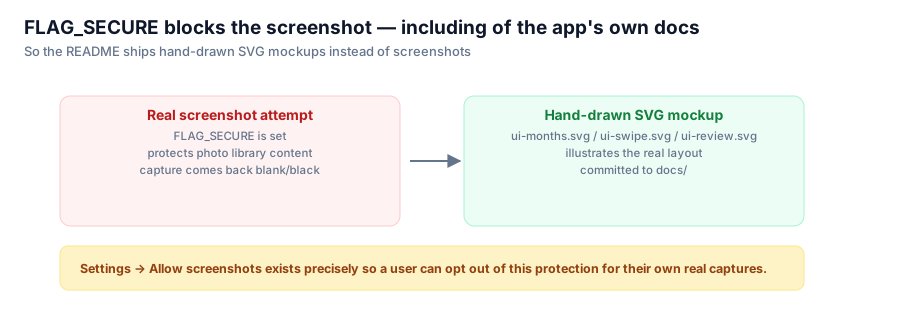
Open the README for this app and the "Interface" section carries an unusual disclaimer above the screenshots: "These are illustrations of the layout, not real screenshots." That's not a stylistic choice or laziness about taking proper screenshots. It's a direct, slightly funny consequence of a security feature working exactly as intended — against its own author.

The same flag that protects a user's photo library from capture also blocks a legitimate screenshot for documentation.
What FLAG_SECURE does
FLAG_SECURE is a standard Android window flag. Set it on an Activity, and Android refuses to let that window's content appear in:
- screenshots (the capture comes back black or blank),
- screen recordings,
- the Recents/app-switcher thumbnail.
For an app whose entire UI is other people's photo libraries — including, for many users, photos they specifically want deleted rather than lingering anywhere — that's exactly the protection you want by default. No screenshot tool, no screen-recording malware, and no lock-screen "recent apps" preview can leak a photo the user is in the middle of reviewing.
The side effect nobody plans for
FLAG_SECURE doesn't distinguish between "a malicious screen recorder" and "the developer trying to take a screenshot for the README." It blocks both, identically. Point a screenshot tool — adb, a physical power+volume combination, anything — at this app's MainActivity, and you get the same blank result a would-be attacker would.
So the honest options for documentation were: turn the protection off globally (defeats the point), ship no screenshots at all (worse documentation), or build something else that shows the layout without needing the flag disabled.
The actual fix: hand-drawn SVG mockups
The README ships three SVG illustrations — ui-months.svg, ui-swipe.svg, ui-review.svg — hand-built to represent the month picker, the swipe deck, and the review-and-confirm screen, laid out in a comparison table with a one-line description of what each screen does:
| Pick a month | Review one at a time | Confirm before anything happens |
| Month picker with filter chips | Swipe deck with a DELETE stamp mid-drag | Grid of photos marked for deletion above a confirm button |
They're clearly illustrations, not photographs of a running app — flat shapes, no real photo content, generic placeholder chips. That's a feature, not a limitation: it makes it visually obvious to anyone reading the README that these are mockups, so nobody mistakes an SVG rectangle for a real UI screenshot and wonders why it looks off.
The escape hatch, documented next to the disclaimer
For anyone who genuinely wants a real screenshot — reviewing the app before installing it more broadly, writing their own documentation, whatever — there is Settings → Allow screenshots, a toggle that disables FLAG_SECURE for that session. It's opt-in, off by default, and mentioned directly next to the mockup disclaimer rather than buried in a settings list.
Why this is worth writing about
It's a small detail, but it's a good example of a security feature creating friction for the developer rather than the user, and the fix being "explain it and build a substitute" rather than "weaken the protection so the docs look normal." A screenshot-blank app is momentarily confusing until you understand why; a security feature that quietly gets disabled so the marketing screenshots look nicer is a worse trade almost every time.
Series: Google Photos Cleaner.