
Offering One Tag Axis at a Time Instead of Sixty-Five Options at Once
The tag vocabulary mixed form, language, maqam, and metre in one flat list of 65. Splitting it into per-axis controls meant a form class that reads categories off the Tag model, and a save path careful not to silently empty an axis nobody saw.
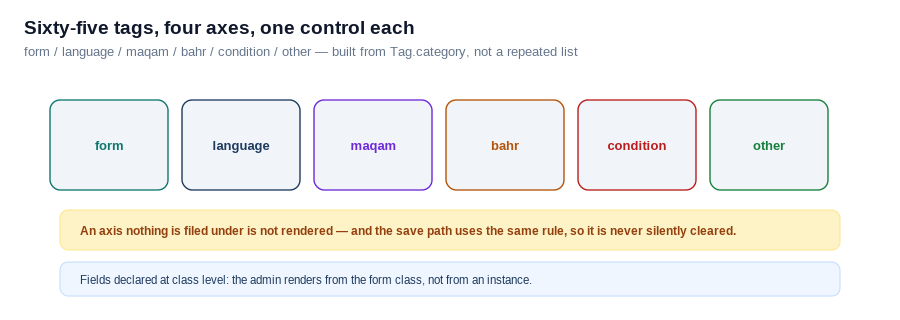
Sixty-five tags in one two-pane multi-select box is not a filter, it's an obstacle course. The tag vocabulary in this library mixes four genuinely unrelated axes — what kind of poem it is, its language, the melodic mode (maqam) it's sung in, the metre (bahr) it's written in — plus a handful of tags that describe the state of the record itself (text-needs-review, lyrics-in-images). Choosing a metre meant scrolling past every language.

form / language / maqam / bahr / condition / other — built from Tag.category, not a repeated list.
Splitting the control without splitting the model
The Qasida.tags relation stays exactly what it was — one ManyToManyField. What changes is the admin form: QasidaAdminForm declares one ModelMultipleChoiceField per axis, each scoped to a Tag.category:
def _axis_field(category, label):
    return forms.ModelMultipleChoiceField(
        queryset=Tag.objects.filter(category=category),
        required=False,
        label=label,
        widget=forms.SelectMultiple(attrs={
            'class': 'q-tag-select',
            'data-placeholder': f'Choose {label.lower()}…',
            'size': 6,
        }),
    )

tags_form = _axis_field(Tag.CATEGORY_FORM, _AXIS_LABELS[Tag.CATEGORY_FORM])
tags_language = _axis_field(Tag.CATEGORY_LANGUAGE, _AXIS_LABELS[Tag.CATEGORY_LANGUAGE])
...
Built from Tag.category, not from a list of axis names repeated in the form — so the vocabulary and the UI can't drift apart. The admin JS upgrades these to select2 searchable pickers, reusing the library already loaded for the poet and dedication autocompletes; without JS they degrade to plain multi-selects and still function.
Why the fields are declared at class level, not in __init__
This is called out explicitly in the commit, because it's the kind of thing that looks like a harmless refactor and isn't:
The fields are declared on the form class rather than added in __init__, because the admin decides what to render by reading the class and a field that exists only on an instance is never shown.Django's ModelAdmin introspects the form class to build the fieldsets before any instance exists. A field added dynamically in __init__ is invisible to that introspection — it would work in isolation but silently fail to render inside the admin's normal machinery.
The save-path bug this was designed to avoid
The subtler risk with per-axis fields: if a work has no tags at all in the maqam category, should that control render? If it renders empty and the form is submitted, does "nothing selected" mean "clear the maqam" or "there was never anything here to begin with"? Those are different facts and conflating them is how a save made for an unrelated reason silently wipes an axis. The fix ties rendering and saving to the exact same rule:
@classmethod
def populated_axes(cls):
    present = set(Tag.objects.values_list('category', flat=True).distinct())
    return [(name, category) for name, category in cls.TAG_FIELDS
            if category in present]

def _save_m2m(self):
    super()._save_m2m()
    offered, chosen = [], []
    for name, category in self.populated_axes():
        offered.append(category)
        chosen.extend(self.cleaned_data.get(name) or [])
    untouched = list(self.instance.tags.exclude(category__in=offered))
    self.instance.tags.set(chosen + untouched)
An axis that was never rendered is excluded from offered, so its existing tags land in untouched and survive the save untouched. There's a test for exactly this scenario — an axis with no populated tags must not be cleared by an unrelated save — because the failure mode is silent: nothing errors, a field just quietly empties on the next edit.
Series: Qasida App.