
The Signing Mismatch That Fails With "App Not Installed" and Wipes Your Data
Debug and release builds of an Android app are signed with two entirely different keys by default. The first time you switch from one to the other on the same device, the install fails — and the fix wipes your local data.
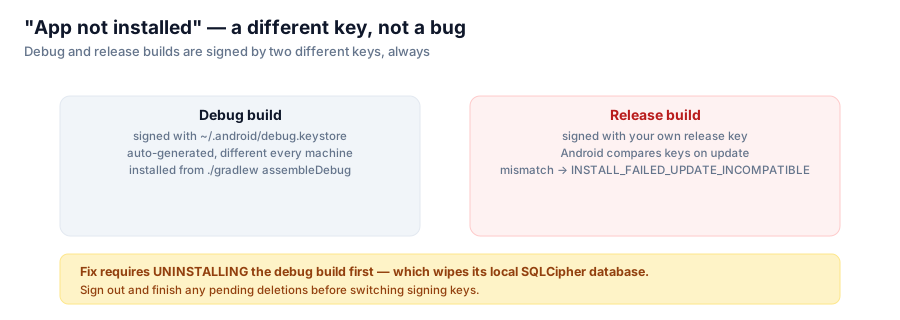
Every Android developer runs into this at least once, and it always looks alarming the first time: you've been happily installing debug builds while developing, you finally build a signed release APK to actually ship, and installing it over the debug build fails outright with a cryptic error. Nothing is broken. Two different keys signed two different builds, and Android's update model treats that as a completely different app trying to impersonate an installed one.

Debug and release builds are signed by two different keys, always — and Android refuses to treat that as an update.
Why there are two keys at all
./gradlew :app:assembleDebug signs its output with the key at ~/.android/debug.keystore — a keystore the Android SDK auto-generates on first use, with a fixed, publicly known password (android/android). It's different on every machine that generates it fresh, and it's never meant to be the key you ship with; it exists purely so debug builds install without any signing setup at all.
./gradlew :app:assembleRelease, on the other hand, produces an unsigned APK by default in this project — deliberately, so the build works in forks with no keystore configured (as covered in the previous post). You sign it yourself with your own release key:
apksigner sign --ks my.keystore --out signed.apk \
        app/build/outputs/apk/release/app-release-unsigned.apk
Those are two different keys, on purpose, by design, in every Android project that hasn't gone out of its way to unify them (which you generally shouldn't — mixing debug and release signing defeats the point of having a stable release identity).
What actually happens on device
Android's package installer checks the signing certificate of an incoming APK against whatever's already installed under that application ID. If they don't match, it refuses to treat the new APK as an update. Depending on Android version and install path, you'll see something like:
INSTALL_FAILED_UPDATE_INCOMPATIBLEor the more user-facing "App not installed" dialog with no further explanation. There's no partial-install, no prompt to choose — it's a hard refusal, and it's correct behavior: allowing a differently-signed APK to silently take over an installed app's identity would be a serious security hole (anyone could ship a "critical update" for a target app that isn't actually from the original developer).
The part that actually costs you something
The fix is simple in principle — uninstall the debug build first, then install the release build fresh. The catch is that uninstalling an app on Android also removes its private data directory, including this app's SQLCipher-encrypted local database of keep/delete decisions.
For most apps that's a minor annoyance. For this one specifically, the README calls it out with a concrete pre-condition: sign out and finish any pending deletions before switching signing keys. If you've marked photos for deletion in the review screen but haven't confirmed the batch yet, that in-progress state lives only in the local database — uninstalling to fix a signing mismatch throws it away along with everything else.
The practical takeaway
If you're about to switch a device from a debug build to a signed release build (or vice versa) for the same app ID, treat it like a data-loss event up front rather than discovering it after the fact:
- Finish or discard anything in progress that only exists locally.
- Uninstall the currently-installed build.
- Install the new one.
There's no way around step 2 once the keys differ — but knowing it's coming means it costs you nothing you weren't willing to lose.
Series: Google Photos Cleaner.